

Top 15 3D Rendering Software for Stunning Visuals in 2026
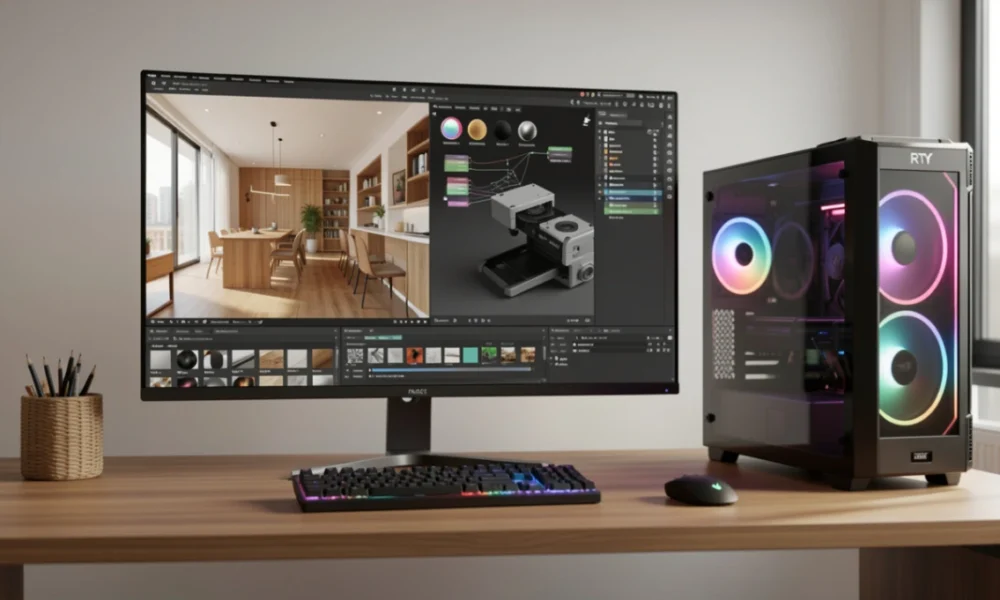
Professionals across architecture, product design, animation, and visual effects rely on 3D rendering software to transform digital models into photorealistic imagery. The rendering industry has reached USD 11.83 billion in market valuation, driven by GPU acceleration, real-time ray tracing, and AI-assisted workflows that deliver production-quality results faster than ever.
Table Of Content
- What to Evaluate When Choosing 3D Rendering Software
- 1. Blender – Open-Source Rendering Powerhouse
- 2. V-Ray – Industry-Standard Photorealistic Rendering
- 3. Lumion – Rapid Architectural Visualization
- 4. KeyShot – Real-Time Product Rendering
- 5. OctaneRender – GPU-Accelerated Unbiased Rendering
- 6. Arnold – Production-Grade Monte Carlo Renderer
- 7. Corona Renderer – Artist-Friendly Photorealism
- 8. Redshift – Biased GPU Renderer for Production
- 9. Maxwell Render – Unbiased Light Simulation
- 10. Cinema 4D – Motion Graphics and Rendering Suite
- 11. Unreal Engine – Real-Time Rendering and Virtual Production
- 12. 3ds Max – Modeling and Rendering for Visualization
- 13. Houdini – Procedural Modeling and VFX
- 14. Indigo Renderer – Physically Accurate Unbiased Rendering
- 15. Enscape – Real-Time Architectural Rendering Plugin
- Comparing Rendering Solutions
- Additional Rendering Solutions: D5 Render and Twinmotion
- 1. D5 Render
- 2. Twinmotion
- Technical Considerations: Hardware and Pipeline Integration
- Emerging Technologies: AI and Cloud Rendering
- 1. AI Denoising
- 2. AI Material Generation
- 3. Cloud Rendering
- 4. 3D Gaussian Splatting
- Making the Right Choice!
- Conclusion
This guide examines 15 rendering solutions spanning real-time engines, GPU renderers, CPU-based path tracers, and architectural visualization platforms. Whether you need instant feedback during design iterations or final renders for film production, understanding each tool’s rendering engine, workflow integration, and hardware requirements will help you select the right software for your pipeline.
What to Evaluate When Choosing 3D Rendering Software
Selecting rendering software requires matching technical capabilities to project demands and existing workflows.
- Rendering Engine Type – GPU renderers like Redshift and OctaneRender deliver speed through parallel processing. CPU-based engines like Arnold provide accuracy for complex light transport. Real-time engines, including Unreal Engine and D5 Render, offer immediate visual feedback through rasterization combined with ray tracing.
- Lighting and Material Systems – Physically based rendering (PBR) workflows simulate real-world light behavior. Look for global illumination support, HDRI environment lighting, and material editors that handle albedo, roughness, metallic properties, and subsurface scattering.
- Integration and File Formats – Seamless plugin integration with modeling software (Blender, Maya, 3ds Max, SketchUp, Revit) reduces friction. Support for industry-standard formats (FBX, USD, glTF, OBJ) ensures compatibility across pipelines.
- Hardware Requirements – GPU renderers require NVIDIA RTX or AMD Radeon graphics cards with sufficient VRAM. Real-time solutions demand higher-end GPUs for interactive performance. CPU renderers scale with core count but require longer render times.
- Pricing Models – Options range from free open-source tools to subscription-based commercial licenses. Consider render farm costs for production-scale work and whether perpetual licenses fit long-term budgets better than monthly subscriptions.
1. Blender – Open-Source Rendering Powerhouse
Blender provides professional-grade rendering through two integrated engines. Cycles delivers physically accurate path tracing with Monte Carlo ray tracing for photorealistic results. Eevee offers real-time rasterization with viewport rendering suitable for animation previews and interactive design work.
The software supports GPU and CPU rendering, node-based shader editing, volumetric rendering, and procedural texturing. Built-in compositor, motion tracking, and video editing tools create a complete production pipeline. Active community development ensures frequent updates and extensive documentation.
Best for: Freelancers, studios, and artists requiring a full production suite without licensing costs.
2. V-Ray – Industry-Standard Photorealistic Rendering
V-Ray integrates with major 3D applications as a plugin renderer focused on architectural visualization and VFX. The hybrid rendering engine switches between CPU and GPU modes, supporting NVIDIA CUDA and RTX acceleration for production flexibility.
Advanced features include adaptive ray tracing, denoising algorithms, and physically accurate light transport. The material library provides tested shaders for glass, metal, fabric, and organic surfaces. V-Ray Scene Intelligence automatically analyzes geometry to improve render efficiency in complex scenes.
Chaos Cloud rendering extends compute capacity for deadline-driven projects. Integration with Chaos Vantage enables real-time ray-traced scene exploration during client reviews.
Best for: Architectural firms, product visualization studios, and VFX pipelines requiring proven photorealism.
3. Lumion – Rapid Architectural Visualization
Lumion specializes in transforming CAD and BIM models into presentation-ready renders. The real-time engine provides immediate visual feedback with weather simulation, animated foliage, and populated environments from an extensive asset library.
Direct imports from SketchUp, Revit, Rhino, and ArchiCAD maintain model fidelity. The material editor includes PBR workflows for realistic surface definition. Built-in effects handle depth of field, motion blur, and atmospheric perspective without post-processing.
LiveSync technology reflects modeling changes instantly in the rendering viewport. The software handles large-scale urban planning and landscape architecture projects with terrain sculpting and vegetation placement tools.
Best for: Architects and landscape designers requiring fast iteration cycles and client-ready presentations.
4. KeyShot – Real-Time Product Rendering
KeyShot focuses on product visualization with a CPU-based rendering engine that produces accurate materials without extensive setup. The real-time viewport updates continuously as materials, lighting, and camera settings change.
Scientific accuracy mode ensures color fidelity for product photography replacement. The material library includes measured BRDF data for automotive paint, plastics, textiles, and metals. Import support covers CAD formats (STEP, IGES, SOLIDWORKS, Rhino 3DM) with geometry healing tools.
HDRI Studio provides complete control over environment lighting with multi-light setups. Animation capabilities support product configurators and turntable presentations for e-commerce and marketing materials.
Best for: Product designers, industrial designers, and marketing teams creating catalog imagery and configurators.
5. OctaneRender – GPU-Accelerated Unbiased Rendering
OctaneRender pioneered GPU-based unbiased path tracing using NVIDIA RTX hardware. The rendering engine achieves physically accurate light transport with support for caustics, dispersion, and volumetric media.
Standalone and plugin versions integrate with Cinema 4D, Houdini, Maya, 3ds Max, and Blender. The node-based material system provides flexible shader creation. AI denoising through NVIDIA OptiX reduces noise in interactive renders.
Out-of-core geometry handling loads scenes exceeding GPU VRAM capacity. The embedded compositor includes render passes, cryptomatte for object selection, and layer management for post-production flexibility.
Best for: Motion graphics artists, VFX studios, and rendering professionals with RTX-capable workstations.
6. Arnold – Production-Grade Monte Carlo Renderer
Arnold employs Monte Carlo ray tracing designed for film and television production pipelines. Developed by Autodesk, the renderer handles complex scenes with millions of polygons, instancing, and procedural geometry.
CPU and GPU rendering modes provide production flexibility. The physically based shading system includes accurate subsurface scattering for skin, volumetric rendering for atmospherics, and deep image outputs for compositing. Built-in adaptive sampling reduces noise without compromising quality.
Integration with Maya, 3ds Max, Houdini, and Cinema 4D includes dedicated plugins. The renderer scales across render farms with efficient memory management and deterministic output for consistent multi-machine renders.
Best for: Feature film studios, episodic television production, and high-end advertising requiring absolute rendering accuracy.
7. Corona Renderer – Artist-Friendly Photorealism
Corona Renderer emphasizes workflow simplicity while maintaining photorealistic output quality. The unbiased rendering engine provides interactive rendering with low noise convergence suitable for architectural visualization.
The material system uses straightforward parameters without complex node networks. Interactive rendering in the viewport enables real-time material and lighting adjustments. Denoising and adaptive sampling accelerate final render times while preserving image quality.
Integration with 3ds Max and Cinema 4D includes dedicated toolsets. The Chaos Cosmos asset library provides models, materials, and HDRIs tested specifically for Corona workflows.
Best for: Architectural visualization artists and interior designers prioritizing ease of use over technical complexity.
8. Redshift – Biased GPU Renderer for Production
Redshift delivers GPU rendering speed through biased algorithms that approximate light transport efficiently. The rendering engine supports NVIDIA CUDA across multiple GPUs for workstation and render farm scalability.
Features include global illumination with multiple techniques (brute force, irradiance point cloud, irradiance cache), volumetric rendering, and subsurface scattering. The node-based shader system provides flexibility without sacrificing render speed. Out-of-core texture streaming handles scenes with large texture datasets.
Plugin integration covers Maya, 3ds Max, Houdini, Cinema 4D, and Katana. Render passes include AOVs, cryptomatte, and deep images for compositing control.
Best for: Animation studios, VFX pipelines, and motion graphics artists requiring GPU speed with production features.
9. Maxwell Render – Unbiased Light Simulation
Maxwell Render simulates light transport with physically accurate, unbiased algorithms. The rendering engine calculates all light interactions without approximations, producing predictable results based on real-world physics.
Multilight technology enables post-render lighting adjustments without re-rendering. The material system uses measured spectral data for scientific accuracy. Camera simulation includes real lens behavior with chromatic aberration and vignetting.
Standalone and plugin versions support integration with major 3D applications. The grass and particle systems handle organic elements and scattered geometry efficiently. Network rendering distributes computation across multiple machines.
Best for: Architectural visualization and product rendering requiring scientifically accurate lighting and materials.
10. Cinema 4D – Motion Graphics and Rendering Suite
Cinema 4D provides modeling, animation, and rendering in a unified application. The physical renderer includes global illumination, volumetric effects, and GPU acceleration through Redshift integration (included in subscriptions).
MoGraph tools enable procedural animation and cloning for motion graphics workflows. The node-based material system offers flexible shader creation. Integration with After Effects through Cineware provides seamless compositing workflows.
The software handles character rigging, dynamics simulation, and particle effects. ProRender (AMD’s rendering engine) offers additional GPU rendering options with broad hardware support.
Best for: Motion graphics designers, broadcast studios, and artists requiring animation and rendering in a single application.
11. Unreal Engine – Real-Time Rendering and Virtual Production
Unreal Engine extends beyond game development into architectural visualization, virtual production, and interactive experiences. Lumen provides real-time global illumination with dynamic lighting updates. Nanite virtualized geometry enables highly detailed meshes without polygon budget concerns.
Path tracing mode delivers offline-quality renders suitable for final marketing imagery. The material editor uses node-based workflows with PBR principles. Datasmith import pipeline converts CAD and DCC data while preserving hierarchy and materials.
Virtual production capabilities include LED wall support, camera tracking integration, and real-time compositing. The Blueprint visual scripting system enables interactive applications without programming.
Best for: Architectural visualization, virtual production studios, game developers, and interactive experience creators.
12. 3ds Max – Modeling and Rendering for Visualization
3ds Max combines modeling tools with rendering capabilities through built-in renderers and plugin support. The Arnold renderer ships with subscriptions, providing production-quality ray tracing. Additional plugins (V-Ray, Corona, Redshift) extend rendering options.
Procedural modeling tools include parametric objects and modifiers. The animation system handles keyframe animation, rigging, and dynamics. The MAXScript language enables workflow automation and tool development.
The software integrates with Revit for architectural workflows and supports game engine exports. Material libraries and procedural textures accelerate scene creation.
Best for: Game asset creation, architectural visualization, and generalist 3D work requiring modeling and rendering integration.
13. Houdini – Procedural Modeling and VFX
Houdini specializes in procedural workflows and effects simulation. The node-based approach enables non-destructive editing and complex systems creation. Mantra (built-in renderer) and Karma (modern rendering engine) provide path tracing with physical accuracy.
Effects tools simulate fire, smoke, fluids, destruction, and crowds. The procedural modeling system generates variations and handles massive geometry through instancing. Integration with third-party renderers (Redshift, V-Ray, Arnold, RenderMan) provides production flexibility.
USD export capabilities support modern pipeline workflows. The PDG (procedural dependency graph) automates batch processing and simulation management.
Best for: VFX studios, technical directors, and artists requiring procedural control and effects simulation.
14. Indigo Renderer – Physically Accurate Unbiased Rendering
Indigo Renderer uses unbiased algorithms and spectral light simulation for physically accurate results. The rendering engine supports path tracing with bidirectional techniques for complex light transport, including caustics.
GPU and hybrid CPU+GPU rendering modes accelerate convergence. The material system includes measured data for architectural materials. Network rendering distributes computation across available machines.
Integration plugins support Blender, Cinema 4D, and SketchUp. The standalone application accepts scene exports for rendering without host applications.
Best for: Architectural visualization and product design requiring scientific accuracy and predictable lighting behavior.
15. Enscape – Real-Time Architectural Rendering Plugin
Enscape operates as a plugin within CAD and BIM applications, providing instant visualization without export workflows. The real-time rendering engine updates automatically as model geometry and materials change in Revit, SketchUp, Rhino, ArchiCAD, or Vectorworks.
Virtual reality output enables immersive client walkthroughs with headset support. The asset library includes architectural elements, vegetation, and populated spaces. Automated material conversion interprets host application materials for PBR rendering.
Video rendering and panorama exports create marketing materials directly from design models. Batch rendering processes multiple camera views for documentation and presentations.
Best for: Architects and designers requiring visualization during the modeling process without switching applications.
Comparing Rendering Solutions
Different projects demand different rendering approaches. The following comparison helps match software to workflow requirements:
| Software | Primary Use Case | Rendering Type | GPU/CPU | Price Range |
|---|---|---|---|---|
| Blender | General 3D production | Path tracing / Real-time | Both | Free |
| V-Ray | Architectural viz / VFX | Hybrid path tracing | Both | $470-800/year |
| Lumion | Architectural presentations | Real-time | GPU | $1,500-3,800 |
| KeyShot | Product visualization | CPU ray tracing | CPU | $995-2,995 |
| OctaneRender | GPU rendering | Unbiased path tracing | GPU | $20-30/month |
| Arnold | Film / TV production | Monte Carlo ray tracing | Both | Included with Maya/3ds Max |
| Corona Renderer | Architectural viz | Unbiased rendering | CPU | $30-50/month |
| Redshift | VFX / Animation | Biased GPU rendering | GPU | $25-50/month |
| Maxwell Render | Architectural viz | Unbiased spectral | Both | $95/month |
| Cinema 4D | Motion graphics | Various | Both | $90-125/month |
| Unreal Engine | Real-time / Virtual production | Real-time + path tracing | GPU | Free |
| 3ds Max | Generalist 3D | Various (plugin-based) | Both | $265/month |
| Houdini | VFX / Simulation | Path tracing | Both | Free-$4,495/year |
| Indigo Renderer | Architectural viz | Unbiased path tracing | Both | €415-860 |
| Enscape | Architectural viz | Real-time plugin | GPU | $83-141/month |
Budget considerations extend beyond software licensing. GPU renderers require investment in graphics hardware (NVIDIA RTX 4080/4090 or higher for demanding work). Render farm costs add operational expenses for production rendering. Free options (Blender, Unreal Engine) deliver professional results but require time investment in learning their systems.
Additional Rendering Solutions: D5 Render and Twinmotion
Two rendering platforms have gained significant traction in architectural visualization through real-time performance and workflow integration.
1. D5 Render
D5 Render provides GPU-accelerated real-time rendering with path tracing and AI-assisted tools. The software integrates with SketchUp, Rhino, Revit, and Blender through live sync. Features include AI material generation, atmosphere matching, and an asset library exceeding 15,000 items. The free Community plan supports unlimited projects, while the Pro plan ($30/month) adds VR support and advanced exports.
2. Twinmotion
Twinmotion leverages Unreal Engine technology for architectural visualization. Built by Epic Games, it provides real-time rendering with path tracing, Nanite geometry streaming, and Lumen global illumination. The drag-and-drop interface reduces technical complexity. Datasmith import maintains BIM data from Revit and ArchiCAD. Free licenses cover educational and non-commercial use, with commercial licensing available.
Both platforms excel at design iteration workflows where instant visual feedback accelerates decision-making. D5 Render emphasizes rendering quality and speed, while Twinmotion focuses on immersive presentations and VR experiences.
Technical Considerations: Hardware and Pipeline Integration
Rendering performance depends on hardware capabilities and workflow configuration.
- GPU Requirements – Real-time engines and GPU renderers benefit from NVIDIA RTX 40-series or AMD Radeon RX 7000-series cards. RT Cores accelerate ray tracing operations. Tensor Cores enable AI denoising. VRAM capacity (16GB minimum, 24GB recommended) determines scene complexity handling.
- CPU Considerations – CPU rendering scales with core count. Processors with 16-32 cores handle most production work. Memory capacity (64GB minimum for complex scenes) prevents system bottlenecks. Multi-socket workstations extend capacity for specialized workflows.
- Storage – NVMe SSDs reduce texture streaming latency and scene loading times. Render farm deployments benefit from network-attached storage with high throughput.
- Pipeline Integration – Modern workflows use USD (Universal Scene Description) for asset sharing across applications. Render management tools coordinate distributed rendering. Version control systems track scene files and assets through production.
Emerging Technologies: AI and Cloud Rendering
Rendering workflows continue to incorporate AI assistance and cloud infrastructure.
1. AI Denoising
AI Denoising reduces render times by removing noise at lower sample counts. NVIDIA OptiX AI Accelerated Denoiser and Intel Open Image Denoise integrate with multiple renderers. Quality approaches offline renders with 10-20% of traditional sample requirements.
2. AI Material Generation
AI Material Generation creates PBR textures from photographs or text descriptions. D5 Render and other platforms include AI material synthesis. These tools accelerate asset creation and maintain physical accuracy.
3. Cloud Rendering
Cloud Rendering extends compute capacity through services like Chaos Cloud, AWS Thinkbox Deadline, and Google Cloud Render. Projects render faster by distributing frames across multiple machines. Cloud rendering suits deadline-driven work and eliminates local hardware investment.
4. 3D Gaussian Splatting
3D Gaussian Splatting represents scenes as oriented ellipsoids rather than traditional geometry. Early implementations enable novel view synthesis and real-time rendering of photogrammetric captures. Integration into production renderers continues to evolve.
Making the Right Choice!
No single rendering solution suits every project. Selection depends on specific requirements:
- For Real-Time Feedback – Unreal Engine, D5 Render, Twinmotion, Lumion, and Enscape provide immediate results during design iterations. Architectural workflows benefit most from instant visual updates.
- For Maximum Quality – Arnold, V-Ray, Maxwell Render, and Indigo Renderer produce physically accurate output. Film production and high-end architectural visualization justify longer render times for superior results.
- For GPU Speed – OctaneRender, Redshift, and GPU-enabled V-Ray deliver fast iterations. Motion graphics and VFX benefit from reduced render times on RTX hardware.
- For Budget Constraints – Blender provides professional features without licensing costs. Unreal Engine offers real-time rendering free for non-game projects. Educational discounts and indie licenses reduce barriers for students and small studios.
- For Production Scale – Arnold, Redshift, and V-Ray integrate with render farm infrastructure. Deterministic output and network rendering support large-scale productions.
Conclusion
The rendering software landscape in 2026 offers solutions for every budget, workflow, and quality requirement. Real-time engines deliver instant feedback through GPU acceleration and modern rendering techniques. Production renderers provide physically accurate output through path tracing and Monte Carlo ray tracing. Specialized tools optimize specific workflows from architectural visualization to VFX production.
Evaluate software based on rendering engine type, hardware requirements, pipeline integration, and pricing models. Many vendors offer trial versions enabling hands-on testing before commitment. Consider long-term workflow requirements rather than focusing solely on current project needs.
The best rendering tool matches your specific requirements: project complexity, iteration speed, output quality, hardware investment, and budget constraints. Understanding these factors ensures selecting software that enhances productivity rather than creating workflow obstacles.
Start with clearly defined requirements. Test software with representative project files. Consider total cost, including hardware, render time, and learning investment. The right rendering software transforms creative vision into stunning visuals while maintaining production efficiency and budget control.