

How to Start a Computer Repair Business: A Step‑by‑Step Guide
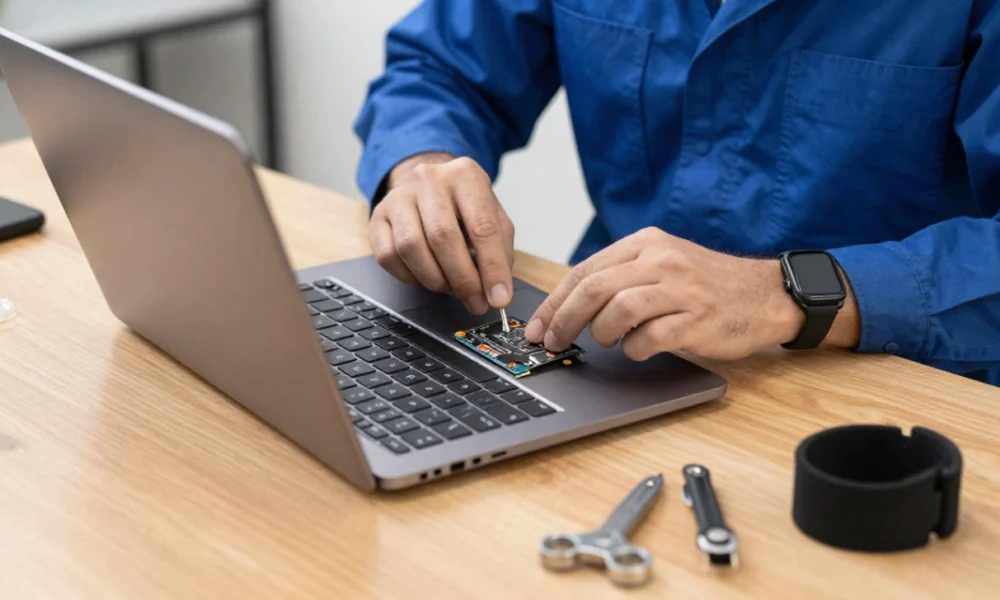
Computers and mobile devices are integral to daily life and business operations. When these systems malfunction, users seek reliable, skilled technicians to restore functionality. This demand creates opportunities for entrepreneurs with technical aptitude and a commitment to service.
Table Of Content
- Understanding the Market and Defining Your Customers
- Business Planning and Service Definition
- Choosing a Business Model
- Defining Services and Specialisations
- Legal and Administrative Foundation
- Business Registration and Structure
- Licenses and Permits
- Insurance
- Record Keeping and Taxes
- Workspace and Equipment
- Physical Location Considerations
- Essential Tools and Equipment
- Financial Considerations
- Estimating Startup Costs
- Funding Sources
- Pricing Strategy
- Branding and Marketing
- Developing a Brand Identity
- Online Presence
- Offline and Local Marketing
- Operations and Customer Service
- Repair Workflow
- Communication and Transparency
- Handling Complaints and Mistakes
- Growth and Long‑Term Sustainability
- Hiring Employees or Subcontractors
- Adding Services
- Professional Development and Certifications
- Investing in Tools and Systems
- Conclusion
Starting a computer repair business requires more than technical knowledge. It involves understanding the local market, choosing a sustainable business model, meeting legal requirements, equipping a workspace, and building a reputation for quality. This guide outlines the core stages of launching and growing a computer repair service, providing a framework that remains relevant regardless of changing technology or economic conditions.
Understanding the Market and Defining Your Customers
Before offering any service, it is important to understand who needs computer repair and what those customers value. The market generally consists of two broad groups:
- Individual consumers – home users who need help with slow computers, virus infections, hardware failures, or data recovery. They often prioritise convenience, clear communication, and fair pricing.
- Business clients – small to medium‑sized companies that rely on multiple devices and may require ongoing maintenance, network support, or rapid on‑site service. They typically value reliability, response time, and service contracts.
Conducting basic market research helps identify the specific needs in your area. Observing local competitors, reading online reviews of existing repair shops, and speaking with potential customers can reveal gaps in service—such as weekend hours, specialised Mac repair, or affordable pickup/delivery options. This information guides every subsequent decision, from service offerings to pricing.
Business Planning and Service Definition
A clear plan reduces risk and provides direction. Key elements of the planning phase include:
Choosing a Business Model
Computer repair businesses generally operate under one or a combination of three models:
- Storefront – a physical location where customers drop off devices. This model offers visibility and a professional image but carries higher overhead costs.
- On-site/mobile – the technician travels to the customer’s home or business. This approach reduces facility expenses and appeals to clients who prefer convenience.
- Remote repair – diagnosis and resolution of software issues via the internet. Remote services can serve a wider geographic area with minimal equipment costs.
The choice depends on budget, target clientele, and personal preference. Many successful repair businesses begin with one model and gradually add others as they grow.
Defining Services and Specialisations
A well‑defined service portfolio helps customers understand what you offer and allows you to focus your skill development. Common computer repair services include:
- Hardware diagnostics and component replacement (screens, keyboards, hard drives, power supplies)
- Operating system installation, optimisation, and troubleshooting
- Virus, malware, and ransomware removal
- Data recovery from failed or corrupted storage devices
- System upgrades (RAM, SSD, graphics cards)
- Networking setup (Wi‑Fi, printers, small office networks)
Some technicians choose to specialise in particular brands (Apple, Dell, custom gaming PCs) or niche services (data recovery, forensic analysis, legacy hardware support). Specialisation can differentiate a new business in a competitive market.
Legal and Administrative Foundation
Establishing a legitimate business entity protects the owner personally and builds trust with customers. While requirements vary by country and region, the following steps are commonly necessary:
Business Registration and Structure
Select a legal structure that aligns with your risk tolerance and tax situation. Common options include sole proprietorship, partnership, limited liability company (LLC), or corporation. Each structure affects personal liability, tax filing, and administrative complexity. Registration is typically done with a national or local government agency.
Licenses and Permits
Most jurisdictions require a general business license. Additional permits may be needed if you operate from home (home occupation permit), sell physical products (sales tax permit), or handle certain types of data. Research the specific requirements for your location before opening.
Insurance
Computer repair involves handling expensive equipment and, occasionally, sensitive customer data. General liability insurance protects against claims of accidental damage or property loss. Many business clients also require proof of insurance before signing service agreements. Professional liability (errors and omissions) insurance may be advisable for businesses offering consulting or data recovery.
Record Keeping and Taxes
Establish a system for tracking income, expenses, invoices, and receipts from the first day. Accounting software or a dedicated spreadsheet simplifies tax preparation and provides insight into profitability.
Workspace and Equipment
A functional, organised workspace improves efficiency and projects professionalism. The level of investment depends on the chosen business model.
Physical Location Considerations
- Storefront – requires sufficient space for a service counter, workbench, parts storage, and customer waiting area. Lease terms, foot traffic, and accessibility are important factors.
- Home‑based workshop – a dedicated room or garage with good lighting, ventilation, and secure storage. Local zoning laws may restrict commercial activity in residential areas.
- Mobile service – a reliable vehicle with compartments to transport tools and spare parts safely.
Essential Tools and Equipment
Basic diagnostic and repair tasks require a set of reliable tools. While specific brands and models vary, the following categories are universally needed:
| Tool / Equipment | Purpose |
|---|---|
| Precision screwdriver set (magnetic, with various bits) | Opening laptop and desktop cases, removing internal components |
| Anti‑static wrist strap and mat | Preventing electrostatic discharge damage to sensitive electronics |
| Multimeter | Testing power supplies, cables, and circuit continuity |
| External drive enclosures/adapters | Connecting drives via USB for data transfer and diagnostics |
| Bootable USB drives with diagnostic operating systems | Testing hardware independent of the customer’s installed OS |
| Spare parts (RAM, hard drives/SSDs, power adapters, cooling fans) | Immediate replacement for common failures |
| Cable organisers and labels | Keeping the workspace tidy and avoiding lost components |
| Reliable internet connection and a secondary computer | Accessing technical resources, managing tickets, and providing remote support |
Software tools are equally important. A trusted antivirus/anti‑malware suite, disk cloning software, password recovery tools, and a system for creating secure backups of customer data are standard in most repair businesses.
Financial Considerations
Estimating Startup Costs
Startup expenses vary significantly based on the chosen business model. Common cost categories include:
- Legal and registration fees
- Insurance premiums
- Rent and utilities (if applicable)
- Tools and initial spare parts inventory
- Furniture and workbench
- Computer equipment and software
- Marketing materials (signage, business cards, website)
Creating a detailed list of anticipated expenses helps determine how much capital is needed and whether outside funding is required.
Funding Sources
Many computer repair businesses are self‑funded through personal savings or income from existing employment. When external capital is necessary, options include:
- Small business loans from banks or credit unions
- Government‑backed microloan programs
- Business credit cards (used cautiously)
- Investments from friends or family
A clear business plan and realistic financial projections improve the chances of securing funding.
Pricing Strategy
Pricing should cover costs, provide a reasonable profit margin, and remain competitive within the local market. Common approaches include:
- Flat‑rate pricing for standard repairs (screen replacement, virus removal) – easy for customers to understand.
- Hourly rates for diagnostic work or complex, variable‑duration jobs.
- Service contracts or monthly retainers for business clients, providing predictable revenue.
Researching competitor rates is useful, but pricing should also reflect your skill level, the speed of service, and any guarantees offered. Transparent pricing, with written estimates before work begins, prevents misunderstandings and builds trust.
Branding and Marketing
A strong brand identity and consistent marketing help potential customers find and remember your business.
Developing a Brand Identity
- Choose a business name that is distinctive, easy to spell, and not already in use.
- Design a simple logo and select a colour palette that reflects professionalism or approachability, depending on your target audience.
- Apply the same branding across your storefront signage, website, social media profiles, invoices, and uniforms (if applicable).
Online Presence
A website serves as a central hub for information: services offered, pricing guidelines, contact details, and customer testimonials. Basic search engine optimisation (SEO) helps local customers find you when searching for repair services. Claiming and optimising a Google Business Profile (or equivalent local directory) is particularly effective for attracting nearby clients.
Social media platforms can be used to share tips, announce promotions, and demonstrate expertise. The choice of platforms should align with where your customers spend time.
Offline and Local Marketing
Printed materials remain useful for reaching local audiences:
- Business cards and flyers placed in community centres, coffee shops, and libraries
- Direct mail offers to households or businesses in your immediate area
- Participation in local business networking groups or chambers of commerce
Word‑of‑mouth referrals are a primary source of new customers for many repair businesses. Encouraging satisfied clients to leave online reviews or recommend your service to friends amplifies this effect.
Operations and Customer Service
Consistent, high‑quality service delivery differentiates a professional operation from an informal side project.
Repair Workflow
Establish a standard procedure for each job:
- Intake – document the customer’s description of the problem, device model, and any visible damage.
- Diagnosis – systematically test hardware and software to identify the root cause.
- Estimate – provide a written quote with the proposed solution, parts cost, labour, and estimated completion time.
- Repair – perform the work, testing thoroughly after each change.
- Quality check – confirm that the original issue is resolved and no new problems have been introduced.
- Return – explain what was done, answer questions, and process payment.
Communication and Transparency
Customers appreciate regular updates, especially if a repair takes longer than expected. A simple system—email, text, or phone call—can be used to notify them when their device is ready or if unexpected issues arise.
Handling Complaints and Mistakes
No business is perfect. When a customer is dissatisfied, listen carefully, acknowledge the concern, and work toward a fair resolution. This may involve a discount, a re‑repair at no charge, or compensation for damaged components. A professional response to problems often strengthens customer loyalty.
Growth and Long‑Term Sustainability
As the business stabilises, opportunities for expansion and improvement emerge.
Hiring Employees or Subcontractors
When workload consistently exceeds personal capacity, hiring a technician or administrative assistant becomes viable. Clear job descriptions, thorough training, and documented procedures help maintain service quality. Some owners choose to remain solo operators, deliberately capping growth to preserve work‑life balance.
Adding Services
Customer needs evolve. Expanding into related areas can increase revenue and client retention:
- Smartphone and tablet repair
- Managed IT services for small businesses
- Custom computer building
- Cybersecurity awareness training
- Data backup and cloud migration assistance
Before adding a new service, verify that you have the necessary skills, tools, and insurance coverage.
Professional Development and Certifications
Technology changes continuously. Staying competent requires ongoing learning. Industry‑recognised certifications, such as CompTIA A+, CompTIA Network+, or vendor‑specific credentials (Apple Certified Mac Technician, Microsoft Certified Professional), can validate skills and reassure clients. Attending workshops, following reputable technical forums, and practising on donated equipment are practical ways to keep knowledge current.
Investing in Tools and Systems
As revenue grows, reinvesting in better diagnostic equipment, a customer relationship management (CRM) system, or remote support software can improve efficiency and customer experience. These investments should be made deliberately, based on clear operational needs.
Conclusion
Starting a computer repair business requires a blend of technical ability, business discipline, and interpersonal skills. By researching the local market, choosing a suitable business model, fulfilling legal obligations, equipping a proper workspace, and delivering consistent, honest service, an entrepreneur can build a sustainable enterprise.
The landscape of personal computing will continue to change, but the need for reliable, ethical repair services will remain. A business founded on solid planning and a genuine commitment to helping customers is well‑positioned to adapt and thrive over the long term.