

Remote Teaching Tools Guide: Virtual Classroom Success
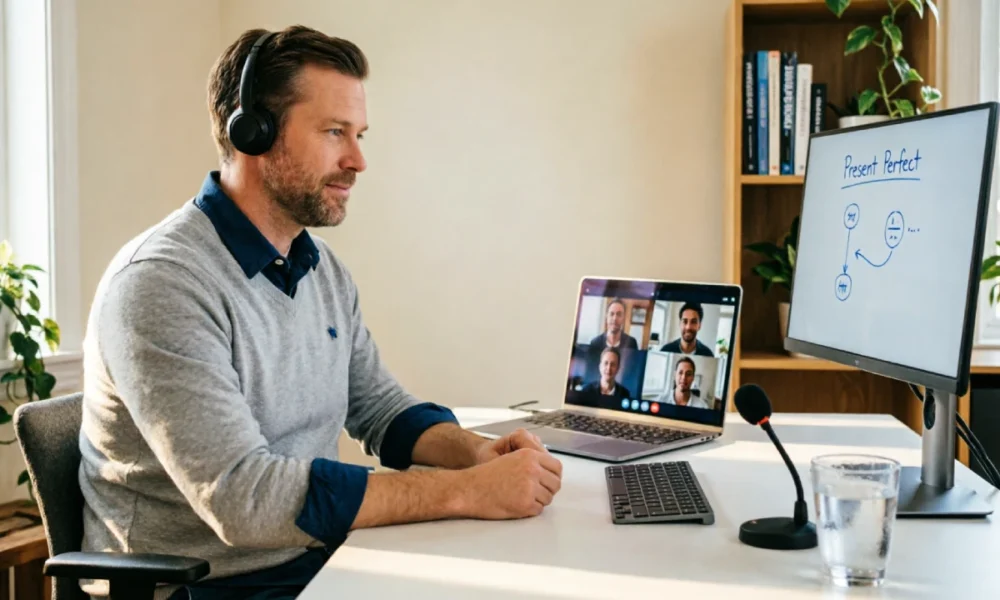
This remote teaching tools guide walks educators through everything needed to run a virtual classroom, from choosing the right software to applying strategies that keep students engaged and learning on track.
Table Of Content
- What Are Remote Teaching Tools?
- The Evolution and Importance of Distance Learning
- Types of Remote Teaching Tools Every Educator Should Know
- Top Features to Look for in Remote Teaching Tools
- The Best Learning Management Systems (LMS) for Virtual Classrooms
- The Most Reliable Video Conferencing and Communication Platforms
- Interactive Presentation and Student Engagement Tools
- Digital Whiteboards and Collaborative Workspaces
- Content Creation Tools for Dynamic Online Lessons
- Online Learning Platforms and Supplementary Resources
- Virtual Reality (VR) and Augmented Reality (AR) in Education
- Essential Equipment and Setup for a Professional Virtual Classroom
- Proven Strategies for Virtual Classroom Success
- How to Plan and Deliver Effective Online Lessons
- Promoting Interactivity and Active Participation
- Formative Assessment, Feedback, and Progress Tracking
- Effective Communication and Collaboration in a Remote Environment
- Organizing Course Content and Digital Resources
- Ensuring Accessibility and Inclusivity for All Students
- Security, Privacy, and Digital Citizenship in Online Learning
- Frequently Asked Questions About Remote Teaching Tools
- What are the most important remote teaching tools for beginners?
- How can teachers keep students engaged during long online classes?
- What equipment is essential for a professional virtual classroom setup?
- Are free remote teaching tools reliable enough for regular classroom use?
- How do teachers handle students with unreliable internet access?
- Conclusion: Student Success in the Virtual Classroom
What Are Remote Teaching Tools?
Remote teaching tools are software applications and digital platforms that allow educators to deliver lessons, manage coursework, and interact with students outside a physical classroom. They cover a wide range of functions, from video conferencing and lesson planning to grading and student communication. Together, these tools recreate the core functions of a traditional classroom in a digital format, giving teachers and students a shared space to work and learn.
The Evolution and Importance of Distance Learning
Distance learning has grown from simple correspondence courses to fully interactive online classrooms. Early online education relied on email and static web pages, offering little interaction. Today’s platforms support live video, real-time chat, and shared digital workspaces. This shift matters because it gives students flexible access to education regardless of location, health, or personal circumstances, while allowing schools to maintain continuity during disruptions.
Types of Remote Teaching Tools Every Educator Should Know
Educators typically rely on several categories of tools: learning management systems for organizing coursework, video conferencing software for live instruction, communication apps for messaging, content creation tools for building lessons, and assessment platforms for tracking student progress. Knowing which category a tool falls into helps teachers select the right combination for their subject and teaching style.
Top Features to Look for in Remote Teaching Tools
When choosing tools, teachers should prioritize ease of use, reliable performance, and strong support for interaction. Screen sharing, breakout rooms, file sharing, and integration with other platforms are valuable additions. Security settings, such as password protection and waiting rooms, are equally important, as is compatibility across devices so students can join from computers, tablets, or phones.
The Best Learning Management Systems (LMS) for Virtual Classrooms
An LMS acts as the central hub for a virtual classroom. Platforms such as Google Classroom, Canvas, and Moodle allow teachers to post assignments, share materials, and record grades in one place. A good LMS keeps students organized by providing a single place to check deadlines, submit work, and review feedback, reducing the confusion that often comes with scattered communication.
The Most Reliable Video Conferencing and Communication Platforms
Live instruction depends on stable video conferencing software. Zoom, Microsoft Teams, and Google Meet are widely used because they support screen sharing, recording, and breakout sessions for small group work. Alongside video calls, messaging tools like Slack or built-in LMS chat features help maintain ongoing communication between lessons, keeping students engaged and informed.
Interactive Presentation and Student Engagement Tools
Static slideshows can quickly lose students’ attention in a virtual setting. Tools such as Nearpod, Pear Deck, and Kahoot turn presentations into interactive experiences with polls, quizzes, and real-time responses. These tools give teachers immediate feedback on how well students understand the material, allowing lessons to adjust on the spot rather than waiting until a formal test.
Digital Whiteboards and Collaborative Workspaces
Digital whiteboards like Jamboard, Miro, and Microsoft Whiteboard recreate the experience of writing and drawing together in real time. Students can contribute ideas, solve problems, or brainstorm as a group, even from separate locations. These spaces are particularly useful for subjects that rely on visual explanation, such as mathematics, science diagrams, and mind mapping exercises.
Content Creation Tools for Dynamic Online Lessons
Creating engaging lesson content requires more than text and static images. Tools such as Canva, Edpuzzle, and Screencastify let teachers design visual materials, edit instructional videos, and build interactive worksheets. Well-produced content helps maintain student attention in an online setting where distractions are common and visual variety keeps lessons from feeling repetitive.
Online Learning Platforms and Supplementary Resources
Beyond core teaching tools, platforms like Khan Academy, IXL, and Quizlet offer supplementary practice and review material. These resources let students reinforce lessons independently, at their own pace, outside scheduled class time. Teachers can assign specific modules to address gaps in understanding without needing to create every practice exercise from scratch.
Virtual Reality (VR) and Augmented Reality (AR) in Education
VR and AR tools are beginning to bring immersive experiences into remote learning. Platforms such as Google Expeditions or Nearpod’s VR features let students explore historical sites, scientific models, or geographic locations without leaving home. While adoption is still limited by cost and hardware requirements, these tools show clear potential for subjects that benefit from visual and spatial exploration.
Essential Equipment and Setup for a Professional Virtual Classroom
Reliable teaching depends on more than software. A stable internet connection, a decent webcam, and a clear microphone make a significant difference in lesson quality. Good lighting and a quiet, organized background help maintain a professional appearance. Investing in this basic equipment reduces technical interruptions and keeps students focused on the lesson rather than on connection issues.
Proven Strategies for Virtual Classroom Success
Successful virtual teaching depends on clear routines and consistent structure. Setting expectations early, using predictable lesson formats, and building in regular check-ins help students stay oriented. Teachers who combine live instruction with recorded materials and asynchronous assignments give students flexibility while maintaining accountability for coursework completion.
How to Plan and Deliver Effective Online Lessons
Effective online lessons are broken into shorter segments than traditional classroom sessions, since attention spans shrink in a virtual setting. A typical structure might include a brief introduction, a focused instructional segment, an interactive activity, and a short review. Planning transitions between these segments carefully keeps the lesson moving and prevents long stretches of passive listening.
Promoting Interactivity and Active Participation
Passive viewing is one of the biggest challenges in remote teaching. Teachers can counter this by asking frequent questions, using polls, assigning small group discussions in breakout rooms, and calling on students directly. Building in regular opportunities to respond, rather than long uninterrupted lectures, keeps students mentally present during the lesson.
Formative Assessment, Feedback, and Progress Tracking
Ongoing assessment helps teachers understand what students have actually learned. Quick quizzes, exit tickets, and short written responses provide regular checkpoints without the pressure of formal exams. Timely feedback, delivered through LMS comments or brief video responses, helps students correct misunderstandings before they compound into larger gaps.
Effective Communication and Collaboration in a Remote Environment
Clear communication prevents confusion in a setting where students cannot simply raise their hand after class. Teachers should set consistent office hours, respond to messages within a defined window, and use group channels for announcements. Encouraging peer collaboration through shared documents or group projects also helps replicate the social aspect of a physical classroom.
Organizing Course Content and Digital Resources
Well-organized digital materials save time for both teachers and students. Grouping resources by unit or week, using consistent file naming, and keeping the LMS updated with current assignments reduces the number of questions about lost or missing work. A predictable structure also makes it easier for students to catch up after an absence.
Ensuring Accessibility and Inclusivity for All Students
Remote teaching tools should work for students with different needs and circumstances. Closed captions, screen reader compatibility, and adjustable text sizes support students with disabilities. Recording lessons benefits students with unreliable internet access or scheduling conflicts, while offering materials in multiple formats accommodates different learning preferences.
Security, Privacy, and Digital Citizenship in Online Learning
Protecting student data and maintaining a safe online space is a core responsibility for educators. Using password-protected meetings, verifying participant identities, and following school data privacy policies reduces security risks. Teaching students basic digital citizenship, including respectful online behavior and safe information sharing, prepares them for responsible technology use beyond the classroom.
Frequently Asked Questions About Remote Teaching Tools
What are the most important remote teaching tools for beginners?
New teachers should start with one LMS such as Google Classroom, one video conferencing platform like Zoom or Google Meet, and one interactive presentation tool such as Nearpod or Pear Deck. Adding more tools gradually prevents the setup from becoming overwhelming.
How can teachers keep students engaged during long online classes?
Breaking lessons into shorter segments, using polls and quizzes, assigning breakout room discussions, and checking in with students regularly all help maintain attention throughout a session.
What equipment is essential for a professional virtual classroom setup?
A stable internet connection, a clear webcam, a reliable microphone, good lighting, and a quiet background form the basic setup needed for smooth, professional online teaching.
Are free remote teaching tools reliable enough for regular classroom use?
Many free tools handle core functions well, though features like meeting length, recording storage, and participant limits are often restricted. Reviewing security settings before regular use is recommended.
How do teachers handle students with unreliable internet access?
Recording live lessons, offering downloadable materials, and assigning asynchronous work give students with limited connectivity a way to keep up without missing content.
Conclusion: Student Success in the Virtual Classroom
Building a strong virtual classroom depends on selecting the right combination of tools and applying sound teaching practices consistently. No single platform solves every challenge, but a thoughtful mix of communication, content creation, and assessment tools, paired with clear routines, gives students the structure and support they need to succeed in a remote learning environment.