

6 Key Steps to Improve Your Business Office Setup for Better Productivity
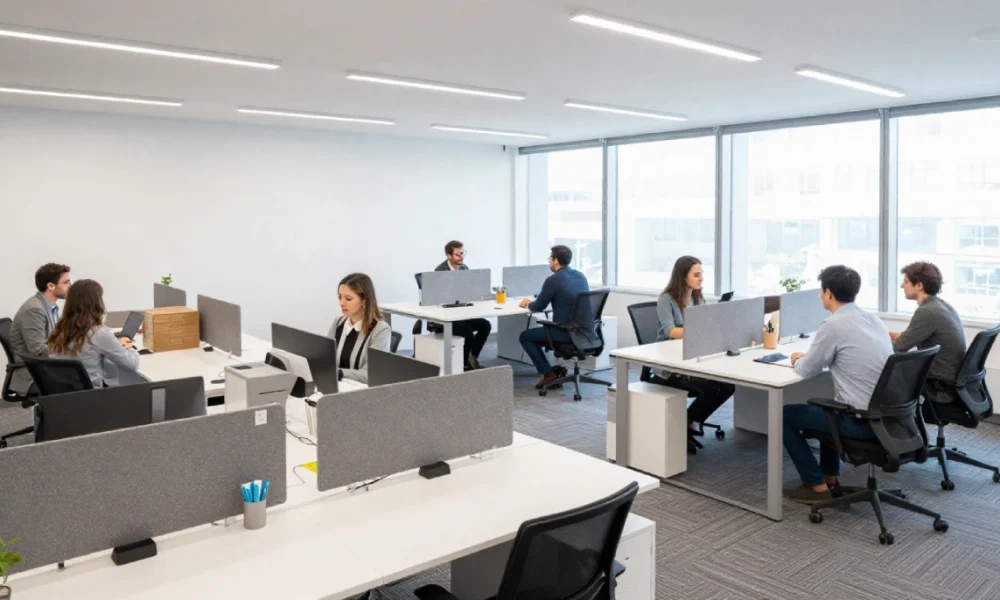
A well-planned office setup directly affects how efficiently your team works, how satisfied employees feel, and how smoothly day-to-day operations run. Getting the physical workspace right requires more than rearranging furniture—it involves deliberate decisions about layout, comfort, technology, and environment. These six steps provide a structured approach to building an office that genuinely supports your business.
Table Of Content
1. Assess How Your Space Is Actually Being Used
Before making any changes, evaluate how your current office operates in practice. Walk through the space at different times of day and observe where employees spend most of their time, which areas sit unused, and where bottlenecks occur. Are meeting rooms consistently overbooked while other zones stay empty? Do employees walk long distances to access shared equipment?
Gathering employee feedback at this stage is particularly useful. Staff who use the space daily often identify inefficiencies that aren’t obvious from a floor plan alone. Pay attention to which areas feel cramped, which feel underused, and whether the layout supports both focused individual work and group collaboration. This assessment gives you a clear baseline before committing to any layout changes.
It also helps to note the location of shared equipment—printers, copiers, and storage—relative to the people who use them most. Placing frequently accessed items in central, accessible locations reduces unnecessary movement and minor daily frustrations that add up over time.
2. Prioritize Ergonomics and Physical Comfort
A physically comfortable workspace reduces employee fatigue, lowers the risk of musculoskeletal issues, and helps sustain focus throughout the working day. Investing in ergonomic furniture—including adjustable office chairs with lumbar support and height-adjustable desks that allow both sitting and standing positions—makes a meaningful difference to long-term employee health.
Workstation setup matters beyond the chair and desk. Monitors should sit at eye level, approximately 20 inches from the face, to reduce neck strain. Keyboards should be positioned so that elbows rest at roughly a 90-degree angle, minimizing wrist and forearm fatigue. These adjustments are low-cost relative to the reduction in sick days and discomfort-related productivity losses they can prevent.
Ergonomic improvements are not one-size-fits-all. Where possible, allow employees to adjust their own workstations to suit their individual height and work style rather than applying a single standard setup across the office.
3. Design for Flexible and Activity-Based Work
Business needs shift over time, and an office layout that cannot adapt becomes a liability. Designing for flexibility means choosing furniture and spatial arrangements that can be reconfigured without significant disruption—modular desks, movable partitions, and mobile storage units all support this.
Beyond flexibility, consider structuring the office around activity-based working (ABW): designating specific zones for specific types of tasks. Quiet zones support concentrated individual work. Collaborative open areas encourage team interaction and spontaneous discussion. Soundproof booths or enclosed pods provide privacy for calls or sensitive conversations. Communal informal spaces allow employees to decompress and recharge.
Not every employee works the same way, and not every task requires the same environment. Providing a range of clearly defined zones gives employees the choice to work in the setting that best suits what they are doing at any given time. This approach also supports hybrid work arrangements, where employees may spend fewer days in the office and need the space to serve multiple purposes efficiently when they are present.
Hot desking—allowing employees to use any available workstation rather than a fixed assigned desk—can reduce the number of desks required and make better use of available floor space, particularly in offices with flexible or staggered schedules. Clear desk policies and a simple desk-booking system help this run smoothly.
4. Implement Technology That Supports Daily Operations
Technology infrastructure underpins almost every function in a modern office. High-speed internet access, sufficient power outlets, and well-placed Wi-Fi access points are foundational requirements that are often underestimated until they create problems. Insufficient connectivity or charging access disrupts workflows and wastes time.
Beyond physical infrastructure, collaboration software and cloud-based document management platforms allow employees to share files, communicate, and access information from within the office or remotely. Project management tools help teams stay aligned on priorities and deadlines without relying on manual coordination. Automating recurring administrative tasks—such as scheduling, document routing, or payroll processing—reduces time spent on low-value manual work.
For offices managing space across multiple teams or hybrid schedules, workplace management tools can track desk and meeting room usage, making it easier to allocate resources accurately and identify underused areas. This kind of usage data supports better layout decisions over time rather than relying on guesswork.
When selecting technology, prioritize tools that integrate with systems already in use. Introducing platforms that don’t communicate with existing software creates additional complexity rather than reducing it.
5. Address Lighting, Air Quality, and Acoustics
The physical environment has a documented effect on employee well-being and performance. Poor lighting contributes to eye strain, headaches, and fatigue. According to the American Society of Interior Designers, 68% of employees report dissatisfaction with their office lighting. Natural light is the preferred option where the layout allows for it—positioning workstations near windows where practical, reduces reliance on artificial sources, and supports employee alertness and mood.
Where natural light is limited, LED lighting that mimics daylight color temperature is a practical alternative. Avoid harsh overhead fluorescent lighting, which creates glare and visual discomfort over long work periods.
Air quality is equally important. Research from the World Green Building Council indicates that improved indoor air quality can increase productivity by 8–11%. Adequate ventilation, air purifiers in enclosed spaces, and the addition of indoor plants all contribute to a healthier breathing environment. Plants also reduce ambient stress and improve the visual quality of the workspace without significant expense.
Acoustics are a commonly overlooked element of office comfort. Noise is one of the primary complaints in open-plan offices and is directly linked to lower concentration and higher stress levels. Sound-absorbing panels, carpeted areas, acoustic ceiling tiles, and designated quiet zones all help manage noise levels without requiring major structural changes.
6. Build Effective Storage Into the Layout
Clutter is a consistent source of distraction and low-level stress. An office without adequate storage forces employees to keep items on or around their desks that would be better housed elsewhere, creating visual noise that makes it harder to focus.
Incorporating filing cabinets, shelving, and desk organizers into the layout from the outset—rather than adding them reactively—keeps workstations clear and makes frequently used supplies easy to find. Vertical storage solutions, such as wall-mounted shelving, maximize available floor space in smaller offices.
Digital document management reduces the volume of physical storage required. Cloud-based platforms allow files to be stored, shared, and accessed without physical copies, cutting down on paper clutter and making information retrieval faster. Transitioning to digital workflows also reduces the risk of misplaced documents and supports remote access to information.
Encourage a clear desk policy as a standard practice rather than a periodic tidy-up effort. When employees begin and end each day with an organized workstation, the cumulative effect on focus and workplace presentation is noticeable.
Conclusion
Improving your business office setup is an ongoing process rather than a one-time project. As your team grows and working patterns shift, revisiting your layout, technology, and environmental conditions ensures the space continues to serve the business well. A workspace designed with care for both function and employee comfort produces measurable returns—in productivity, retention, and the day-to-day experience of everyone who works there.